
OOF2: The Manual
Cross Section (MeshCrossSectionDisplay) |
||
|---|---|---|

|
6.5.2. Subclasses |  |
Name
Cross Section (MeshCrossSectionDisplay) — Determine which cross sections are displayed, and how.
Synopsis
MeshCrossSectionDisplay(cross_sections, color, linewidth)
Details
-
Base class:
DisplayMethod -
Parameters:
cross_sections- Which cross-section to display?. Type: The name of a Mesh cross section.
color- In which color?. Type: An object of the
TranslucentColorclass. linewidth- Thickness of the line. Type: An integer in the range [0, 10].
Description
MeshCrossSectionDisplay shows the lines in
the Mesh along which cross-section data may be computed. These
lines are created by the Mesh Cross Section
toolbox and the Analysis task page.
A single MeshCrossSectionDisplay is created
automatically in each Graphics
Window and is not normally visible in the window's layer
list. To edit its properties, first select List
All Layers in the graphics window's Settings menu.
The predefined MeshCrossSectionDisplay
displays the cross section that is selected in the Mesh Cross Section
toolbox. In order to display additional cross sections, add a new
MeshCrossSectionDisplay with OOF.Graphics_n.Layer.New.
The cross_sections parameter determines which
cross sections are displayed. As shown in Figure 6.92, the widget for setting
cross_sections contains a check button and a
list. If the check button is not checked, one or more cross
sections can be chosen from the list. If the button is checked, the
list is ignored and the cross section that is currently selected in
the Mesh Cross
Section toolbox will be displayed.
In text mode, cross_sections can be set either to
selection or to a list of cross section
names, e.g, ['cs',
'cs2'].
The linewidth parameter is the width of the
displayed cross section. It is an integer in units of the screen
pixel size.
Figure 6.92. Selecting Cross Sections to Display
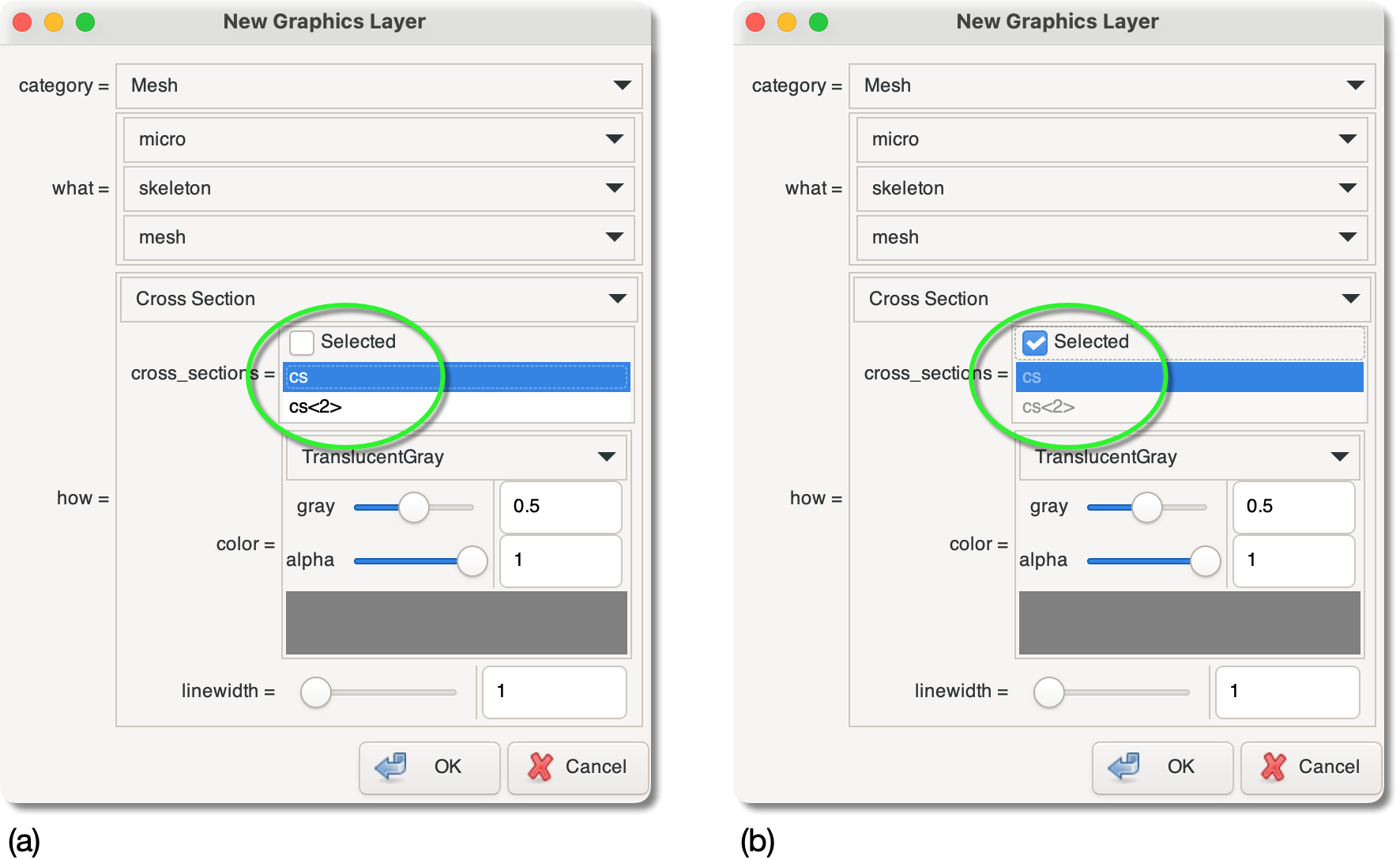
When creating a new graphics Layer for displaying cross
sections, the cross_sections parameter can be
set to (a) a subset of the defined cross sections, or (b) the
currently selected cross section.
![[Tip]](IMAGES/tip.png) |
Tip |
|---|---|
|
It is a good idea always to have one
|
|
|
 |
|
Solid Fill (MeshCenterFillDisplay)
|
 |
Element Edges (MeshEdgeDisplay) |