
OOF2: The Manual
| OOF.Skeleton.PinNodes.Pin_Internal_Boundary_Nodes | ||
|---|---|---|

|
6.2. Menus |  |
Name
OOF.Skeleton.PinNodes.Pin_Internal_Boundary_Nodes — Pin all internal boundary nodes.
Synopsis
OOF.Skeleton.PinNodes.Pin_Internal_Boundary_Nodes(skeleton)
Details
- Parent Menu: OOF.Skeleton.PinNodes
-
Callback: function
pinnodesmodin moduleooflib.engine.pinnodesmodifier -
Parameters:
skeleton- Type: The path to an existing
Skeletonobject.
Description
Pin internal
boundary nodes. Internal boundaries lie between
regions of different pixel categories in
a Microstructure.
Pinning internal boundaries is especially useful when cleaning up a
Skeleton that has been adapted to the material boundaries of a
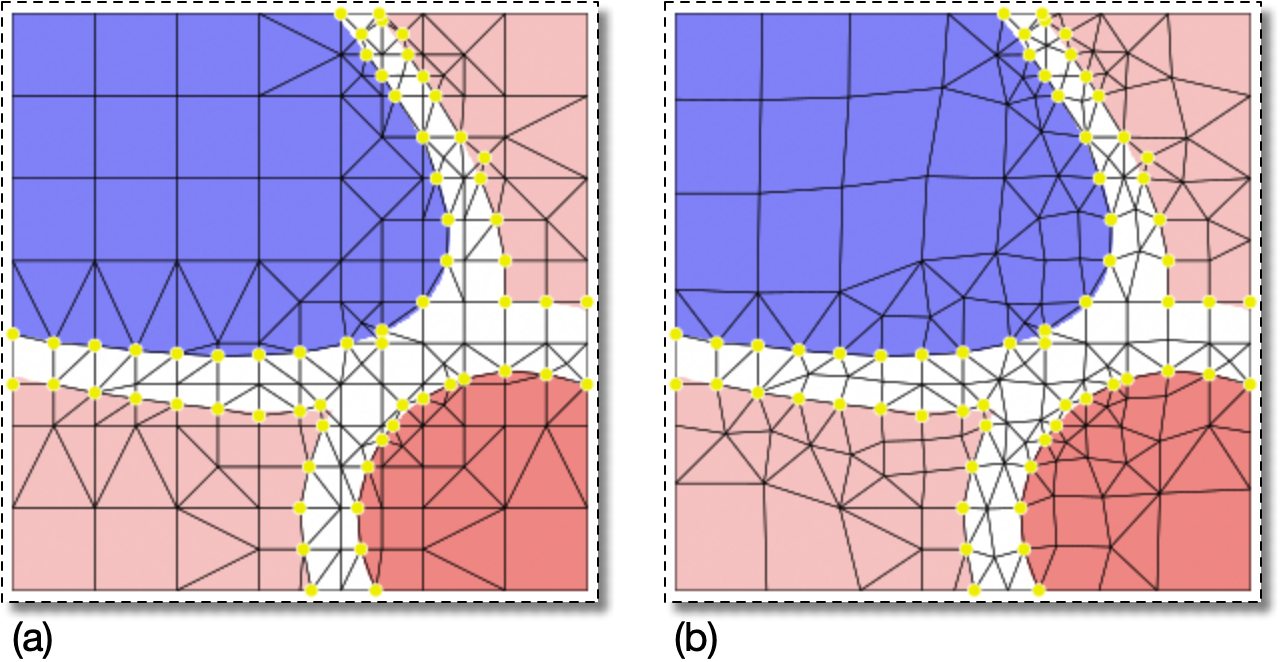
Microstructure. Figure 6.56(a) shows a Skeleton
with pinned internal boundary nodes. Figure 6.56(b) shows the same Skeleton after having
been smoothed. The
pinned nodes have not moved, although the targets
parameter for Smooth was set to
AllNodes.
Note that Nodes on internal boundaries in a Skeleton do not
necessarily lie exactly on the pixel boundaries in a Microstructure. A
Node is considered to be on an internal boundary if it is part of
two Elements with different dominant
pixels. Figure 6.57(a) shows
a detail from Figure 6.56(a) where the
pinned Nodes are clearly not on the pixel boundaries. When the
Elements are colored according to their dominant
pixels as in Figure 6.57(b),
it is clear that the pinned nodes are actually boundary nodes of the
Skeleton.
Figure 6.57. Detail of Internal Boundary Nodes
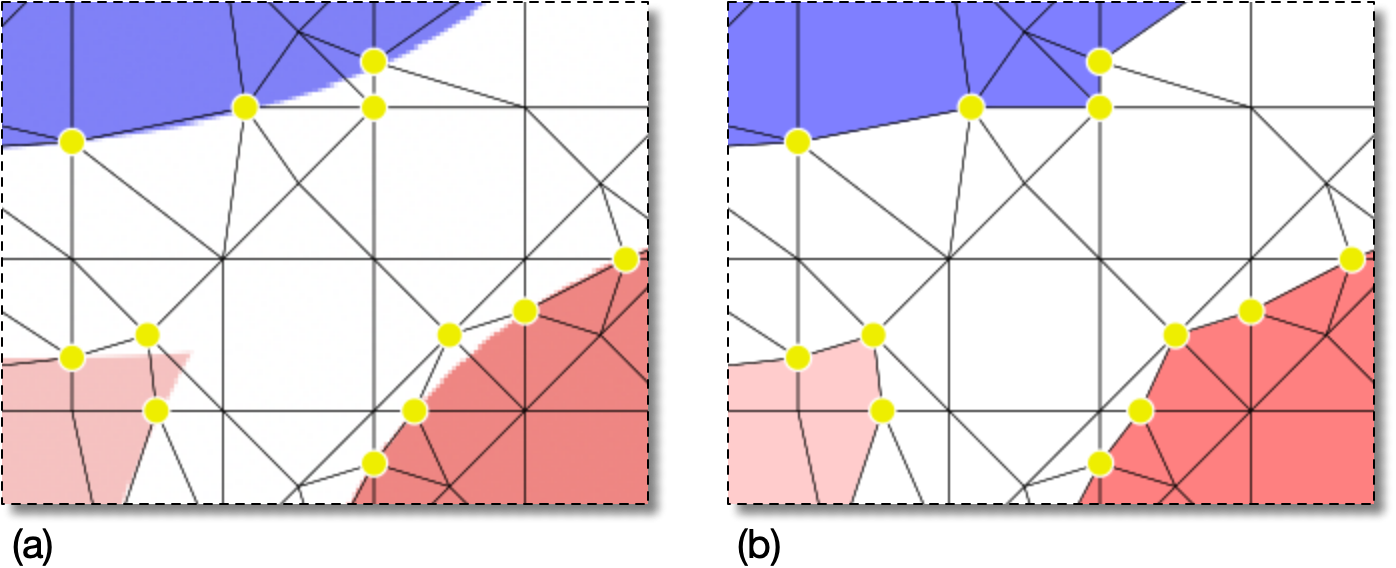
A detail of the smoothed Skeleton in Figure 6.56(b).
(a) When viewing the Image and the Skeleton edges, it is
apparent that the pinned Nodes are not necessarily on the
pixel boundaries …
(b) … but when the Elements are filled by their material
color, the pinned nodes are seen to be on the Skeleton
boundaries.
|
|
 |
|
| OOF.Skeleton.PinNodes.Invert |  |
OOF.Skeleton.PinNodes.Pin_Node_Selection |