
OOF2: The Manual
| 3.8. The Pin Nodes Page | ||
|---|---|---|

|
Chapter 3. Task Pages |  |
The Pin Nodes Page contains tools for pinning Nodes so that they
don't move during Skeleton modifications. The
page provides a GUI for the commands in the OOF.Skeleton.PinNodes menu. See the
documentation for OOF.Skeleton.PinNodes
for an illustration of how pinning can be helpful.
The anatomy of the Pin Nodes Page, as shown in Figure 3.14, is similar to many other OOF2
task pages. At the top is a Skeleton Chooser, which selects the
Skeleton that the rest of the page operates on. Below the Skeleton
Chooser on the left is an information pane,
and on the right is the Modification Pane,
containing a set of tools for modifying the set of pinned Nodes
in the selected Skeleton. These tools all reside in the OOF.Skeleton.PinNodes menu.
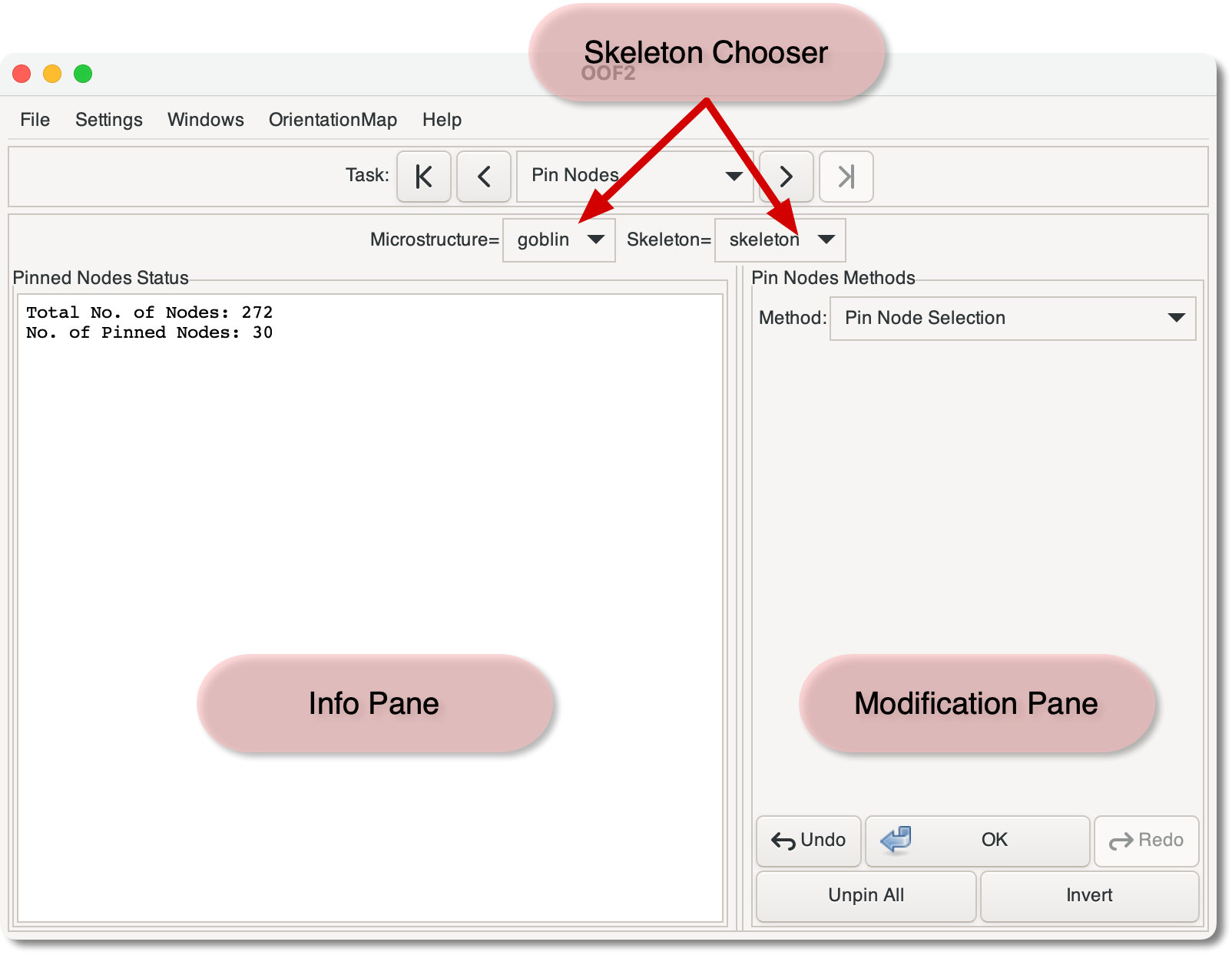
The Information Pane simply displays the number of nodes in the
current Skeleton and the number of them that are pinned.
The Modification Pane contains a pull-down menu, labelled
“Method”, for choosing a tool that modifies the
current set of pinned Nodes in the current Skeleton. For
details on the methods, see the commands in the OOF.Skeleton.PinNodes menu. Below the
pull-down menu is a region for displaying the parameters of the
current command, if any.
At the bottom of the Modification Pane are a set of buttons:
|
|
 |
|
| 3.7. The Skeleton Page |  |
3.9. The Skeleton Selection Page |