
OOF2: The Manual
Specified (SpecificRationalization) |
||
|---|---|---|

|
6.5.2. Subclasses |  |
Name
Specified (SpecificRationalization) — Apply specific tools to fix badly shaped Skeleton elements.
Synopsis
SpecificRationalization(rationalizers)
Details
-
Base class:
RationalizeMethod -
Parameters:
rationalizers- Which rationalizer(s) to use. Type: A list of objects of the
Rationalizerclass.
Description
When the method parameter for the Skeleton modifier Rationalize is set to
SpecificRationalization, the specific tools
listed by the rationalizers parameter will be
used to reduce the number of poorly shaped Elements. Each Rationalizer will be applied to the
Elements that meet the criteria determined by its arguments.
In scripts, rationalizers is a list of Rationalizer constructors, like this:
    OOF.Skeleton.Modify(
      skeleton='pi:skeleton',
      modifier=Rationalize(
         targets=AllElements(),
         criterion=AverageEnergy(alpha=0.3),
         method=SpecificRationalization(
            rationalizers=[QuadSplit(angle=150),
                           RemoveBadTriangle(acute_angle=15,obtuse_angle=150)]
            ),
        iterations=1))
In the GUI, after selecting Specified for the
method parameter of the Rationalize Skeleton modifier, the widgets
shown in Figure 6.116 will
appear. The check marks select the particular Rationalizers to be used. The
parameters for each Rationalizer are listed
below its name.
Figure 6.116. Selecting Rationalization Tools
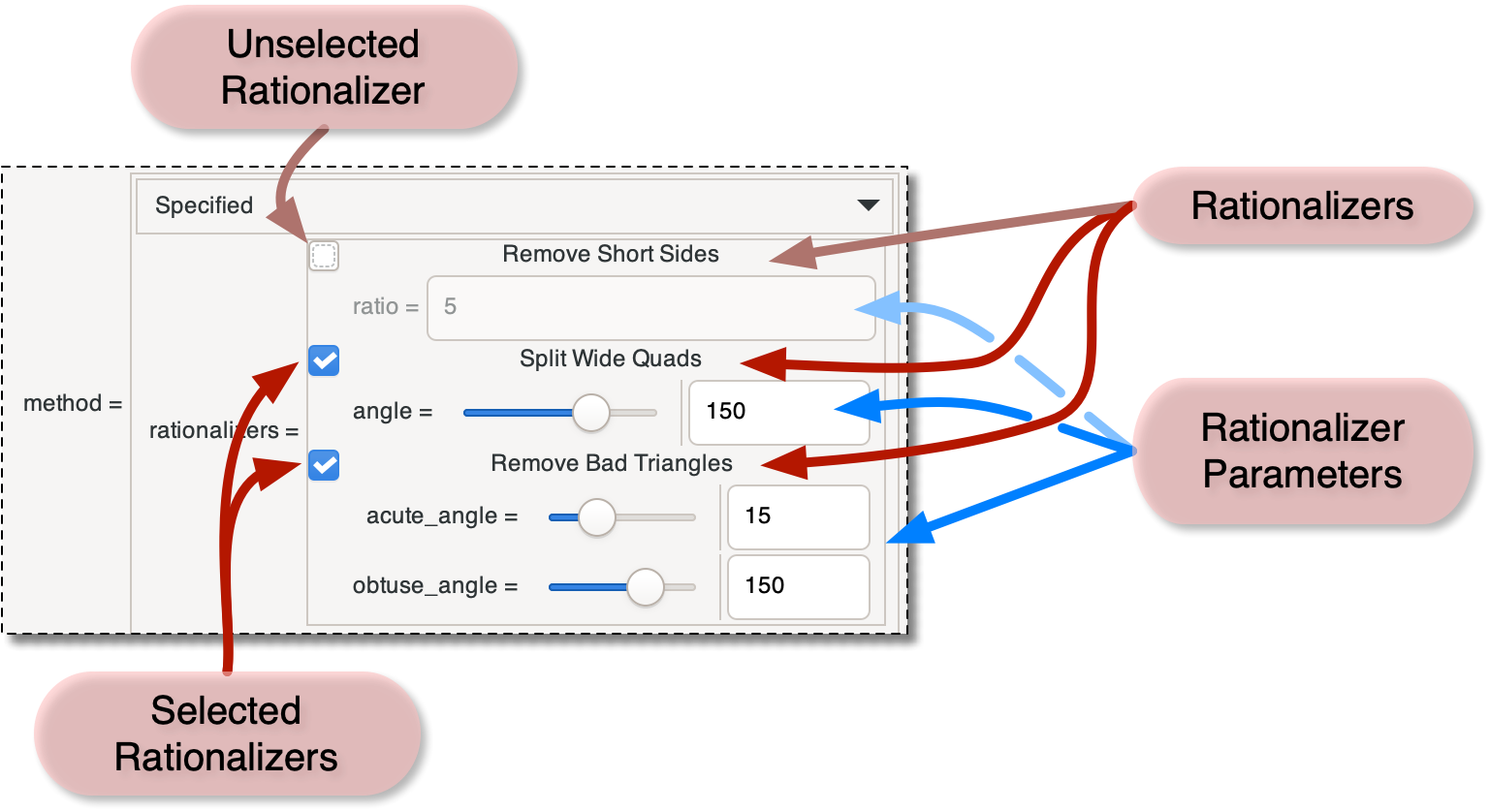
A section of the Skeleton
page when using Rationalize.
Two of the three Rationalizers are selected and
will be applied.
|
|
 |
|
SparseQR (SparseQR)
|
 |
Specified Times (SpecifiedTimes) |