
OOF2: The Manual
IsotropicRank4Tensor |
||
|---|---|---|

|
6.5.1. Base RegisteredClasses |  |
Name
IsotropicRank4Tensor — Representations of an isotropic 4th rank tensor.
Subclasses
Subclasses are listed as they appear in the GUI and (in parentheses) as they appear in scripts.
-
Cij (
IsotropicRank4TensorCij) — Explicit representation in terms of tensor components. -
Lame (
IsotropicRank4TensorLame) — Isotropic rank 4 tensor in terms of Lame coefficients. -
E and nu (
IsotropicRank4TensorEnu) — Isotropic rank 4 tensor in terms of Young's modulus and Poisson's ratio. -
Bulk and Shear (
IsotropicRank4TensorBulkShear) — Isotropic rank 4 tensor in terms of bulk and shear moduli.
Description
The IsotropicRank4Tensor represents rank 4
tensor properties which are rotationally invariant, such as
isotropic elasticity. The isotropic rank 4 tensor has two
independent components, as shown in Figure 6.60. Because the elasticity
literature uses many different representations of these two
components, OOF2 allows you to enter the tensor in a variety of
formats. The OOF2 GUI allows you to easily convert from one
tensor format to another, as shown in Figure 6.62
![[Note]](IMAGES/note.png) |
Note |
|---|---|
|
The word “rank” has different meanings in different fields. Here it means the number of indices on a tensor. is a rank 4 tensor. |
Figure 6.60. Structure of an Isotropic Fourth Rank Tensor
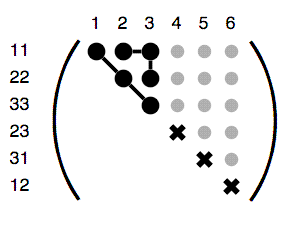
Structure of an isotropic rank 4 tensor. For an explanation of the symbols, see Figure 6.61.
Figure 6.61. Key to the Tensor Diagrams
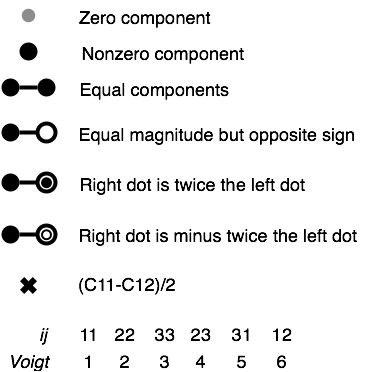
Symbols used in the tensor diagrams. The symmetries of symmetric fourth rank tensors, , allow them to be displayed as second rank tensors, , where is the Voigt notation for and is the Voigt notation for . To keep things simple(?), the diagrams use Voigt notation for the columns and notation for the rows.
Figure 6.62. Converting Between Isotropic Tensor Representations
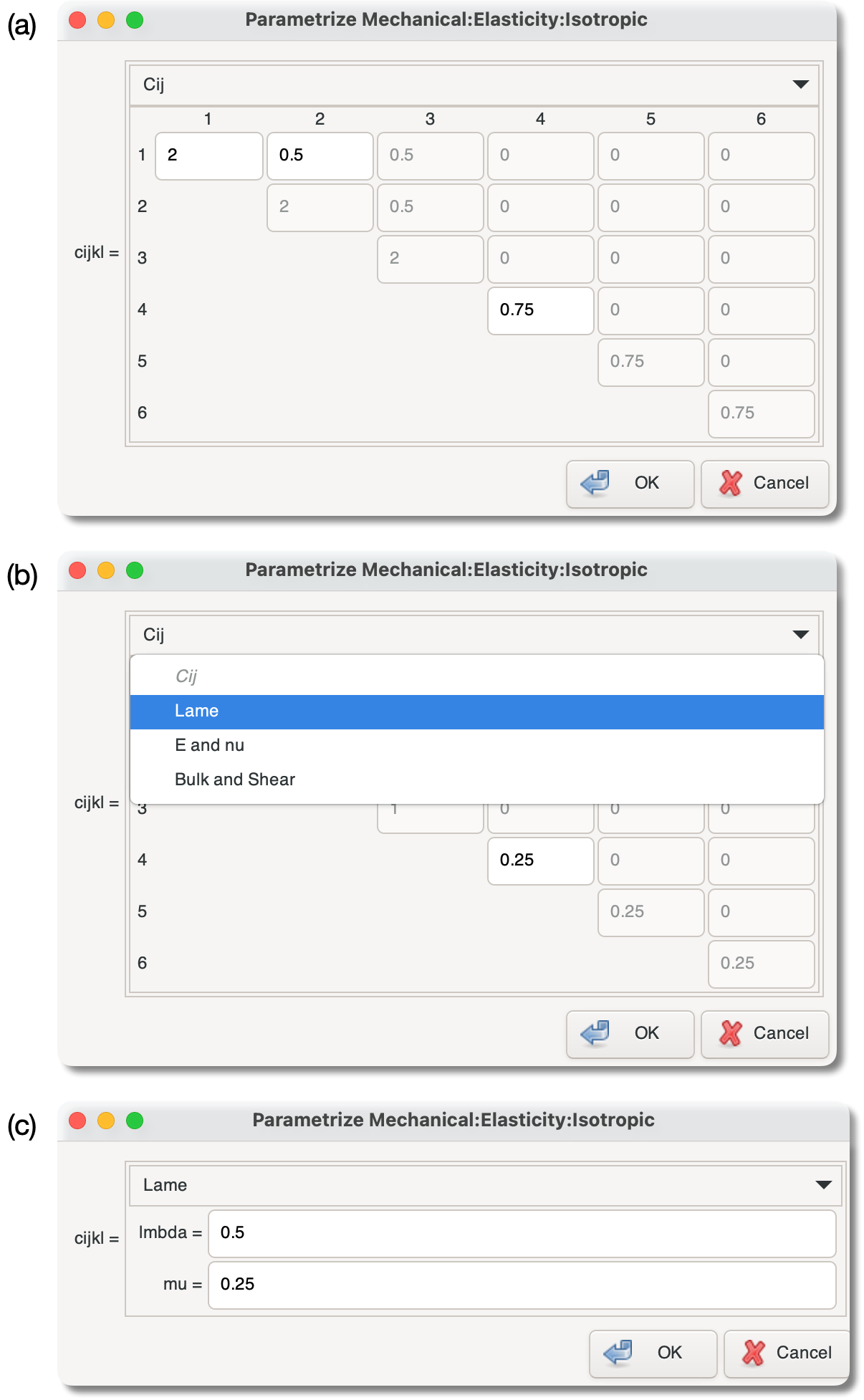
(a) The dialog box for setting the elastic modulus of a
material with isotropic
elasticity. The menu at the top of the box shows that
the Cij representation is being used.
(b) After selecting Lame in the
pull-down menu …
(c) … the same modulus is now given in Lamé coefficients. The values can be edited in either representation, or any of the others.
|
|
 |
|
Invariant
|
 |
IterationManager |