
OOF2: The Manual
Add segments (AddSegments) |
||
|---|---|---|

|
6.5.2. Subclasses |  |
Name
Add segments (AddSegments) — Add a set of segments to an existing edge boundary.
Synopsis
AddSegments(group)
Details
-
Base class:
BoundaryModifier -
Parameters:
group- The segments to add to the boundary. Type: The name of a segment
group,
or the placeholder
selection, referring to the currently selected segments.
Description
AddSegments is a BoundaryModifier, used as the
modifier argument of the OOF.Skeleton.Boundary.Modify command when
editing Skeleton boundaries.
It adds a set of Segments to the boundary specified in the
boundary argument of the
Modify command. The boundary must be an edge
boundary.
The group parameter specifies which Segments are
to be added to the boundary. It must be either the name of a
Segment group or the
special placeholder object,
selection, referring to the currently selected Skeleton
Segments.
Edge boundaries must be constructed from a single contiguous
non-branching set of Segments, and they must be
directed. Boundary
conditions use the direction to determine the boundary
normal and the direction of applied Fields and Fluxes. The
direction parameter specifies the direction of
the boundary being created. Adding Segments to an edge boundary
does not change the direction of the existing boundary.
It is an error to attempt to add Segments to a closed boundary, or to
add Segments anywhere other than at the ends of a open boundary.
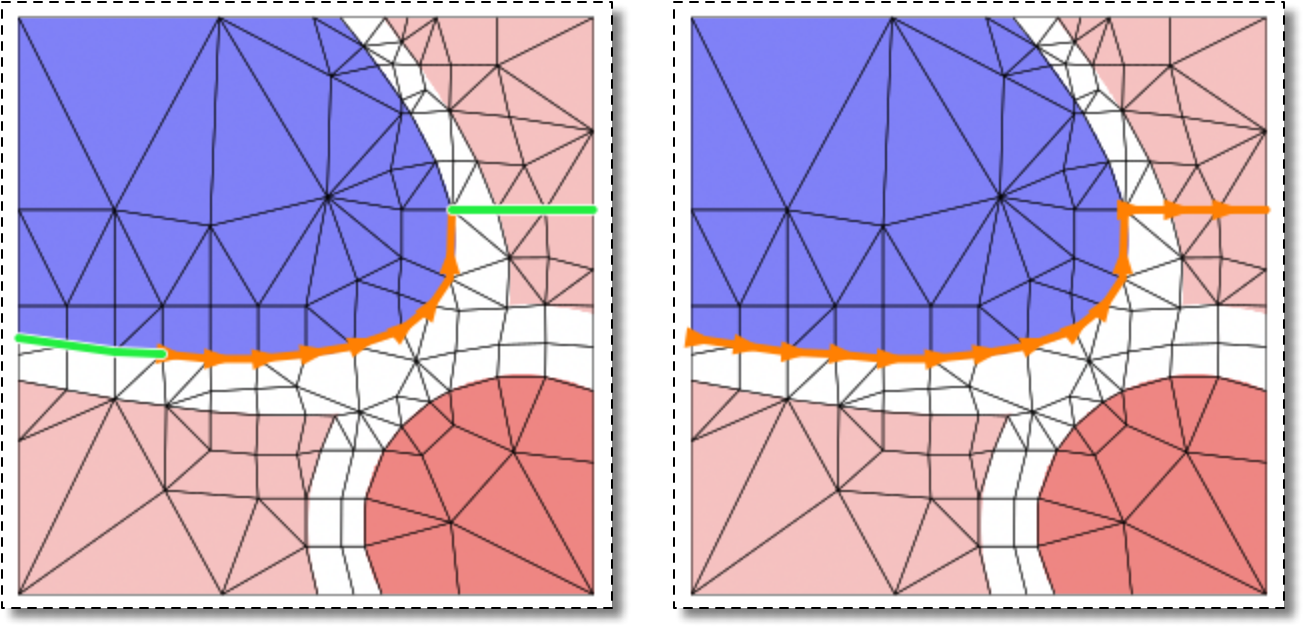
Adding Segments that are already part of the boundary is allowed, but
does not change the boundary. See Figure 6.63 for examples.
Figure 6.63. Adding Segments to a Boundary
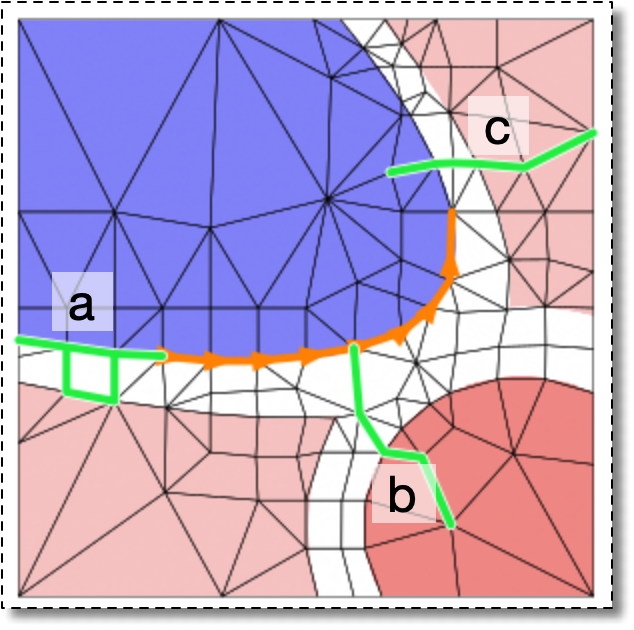
None of the groups of selected green Segments can be added to
the existing boundary. (a) doesn't form a unique directed
sequence, (b) doesn't attach to an end of the existing
boundary, and (c) doesn't attach at all.
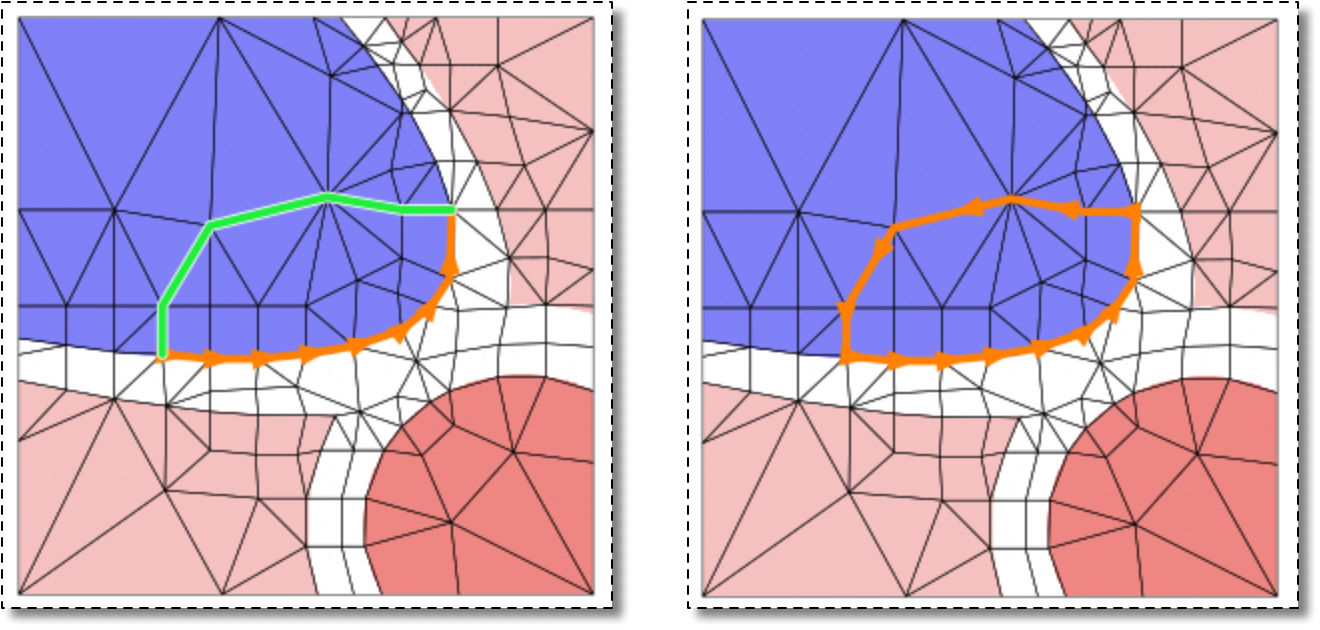
Adding the set of green selected Segments to the the open
boundary on the left converts it to the closed boundary on the
right.
|
|
 |
|
Add nodes (AddNodes)
|
 |
Advanced (AdvancedSolverMode) |