OOF2: The Manual
| OOF.Image.Modify.Sharpen | ||
|---|---|---|

|
6.2. Menus |  |
Name
OOF.Image.Modify.Sharpen — Sharpen the image by comparing it to a blurred version of itself.
Synopsis
OOF.Image.Modify.Sharpen(image, radius, amount, mode)
Details
- Parent Menu: OOF.Image.Modify
-
Callback: function
doImageModin moduleooflib.image.imagemodifier -
Parameters:
image- Type: The path to an existing
Imageobject. radius- Radius of the Gaussian blur, in pixels. Type: A positive real number.
amount- Amplification factor for image details. Type: A positive real number.
mode- Operate on RGB channels separately, or only the V from HSV. Type: An object from the
ModifierModeenumerated class.
Description
Sharpen an Image by enhancing the difference between it and a
blurred version of itself, by calling skimage.filters.unsharp_mask.
radius is the standard deviation of the Gaussian
used to blur the image, in pixel units. If
radius is too small, the algorithm may enhance
noise in the image. amount is the factor by
which the sharp features are enhanced. Large values may lead to
cartoonish images.
If mode is RGB the
sharpening is applied to each of the color channels independently.
This can lead to odd color changes as seen in Figure 6.42. Setting mode to
HSV sharpens only the
value channel in an HSV representation of the
image, and does a better job of preserving color, as shown in Figure 6.43.
Figure 6.42. Sharpening an Image in RGB Mode
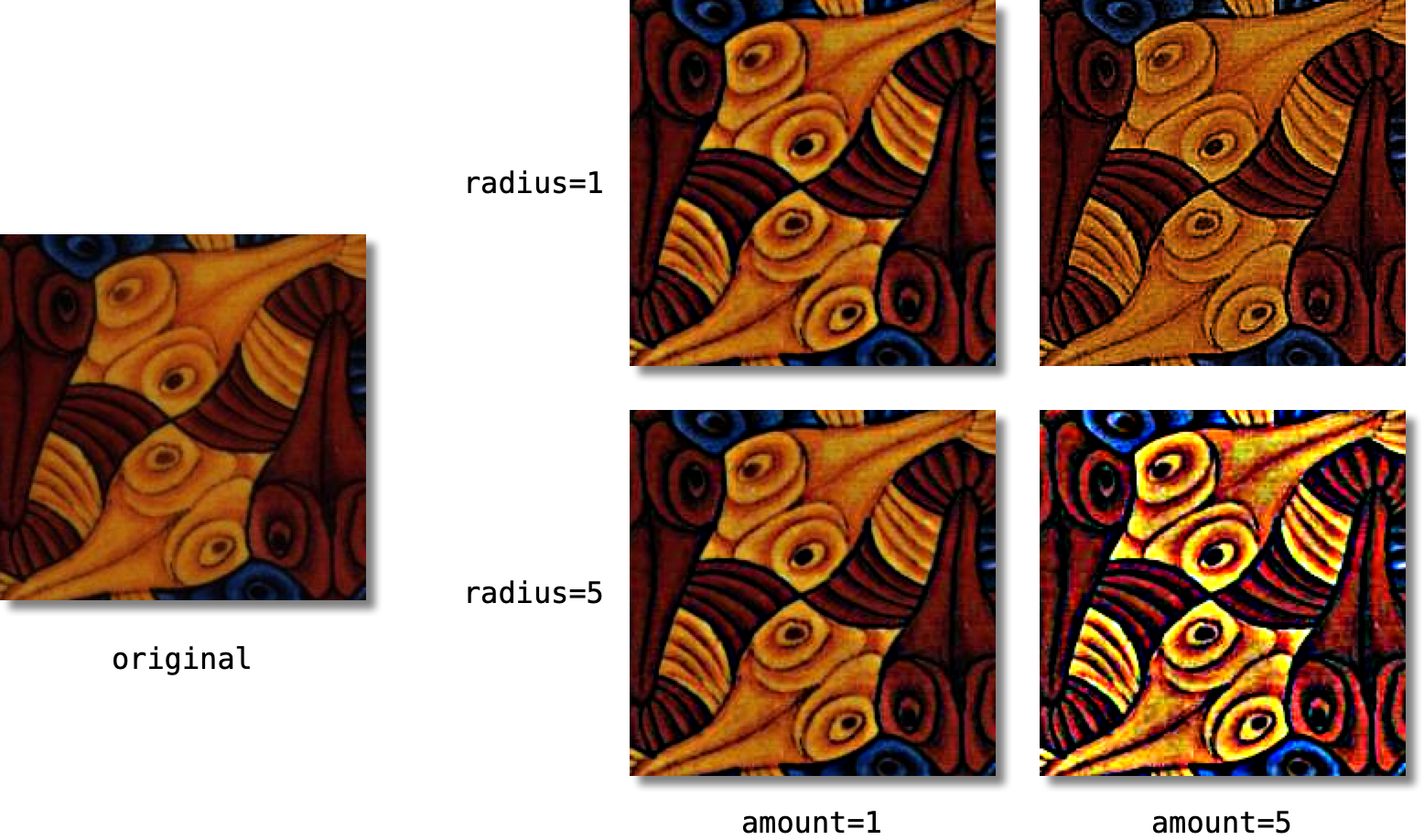
A small section of an Escher print, on the left, and the
result of sharpening it with
mode=RGB and the given
values of radius and
amount.
The colors are badly distorted in the extreme cases.
Figure 6.43. Sharpening an Image in HSV Mode
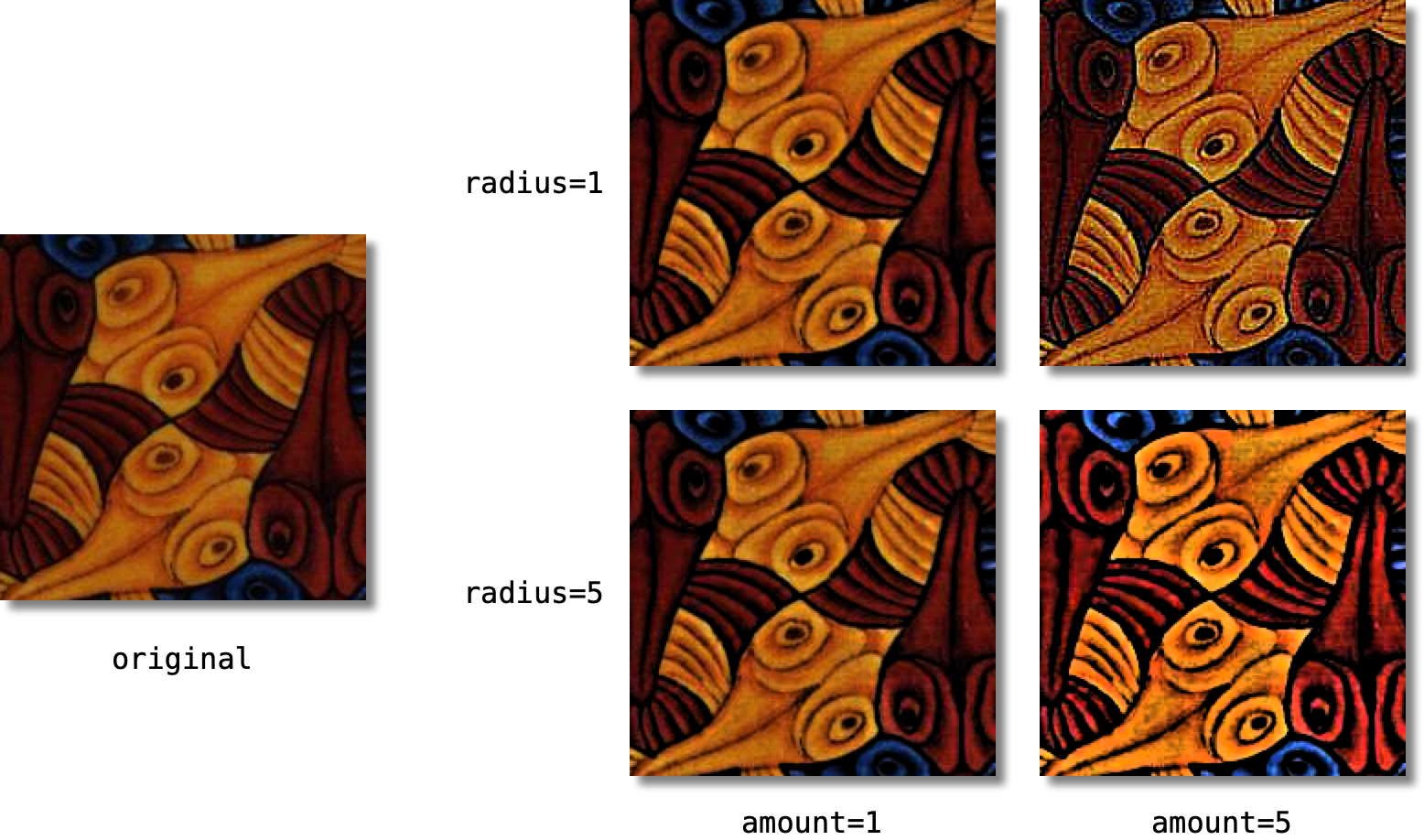
A small section of an Escher print, on the left, and the
result of sharpening it with
mode=HSV and the given
values of radius and
amount. Colors are preserved better than
they are when mode=RGB.
|
|
 |
|
| OOF.Image.Modify.Reilluminate |  |
OOF.Image.Modify.Threshold |