OOF2: The Manual
| OOF.Image.Modify.Normalize | ||
|---|---|---|

|
6.2. Menus |  |
Name
OOF.Image.Modify.Normalize — Normalize the image by rescaling pixel intensity values.
Synopsis
OOF.Image.Modify.Normalize(image)
Details
- Parent Menu: OOF.Image.Modify
-
Callback: function
doImageModin moduleooflib.image.imagemodifier -
Parameters:
image- Type: The path to an existing
Imageobject.
Description
Scale and shift each pixel so that the image uses the full range of
intensity values (zero to one). This increases the contrast in the
Image. Equalize
often does a better job than Normalize,
especially if an Image contains just a few very dark or very light
pixels.
This command calls skimage.exposure.rescale_intensity
from the scikit-image library.
Figure 6.40. Normalizing Images
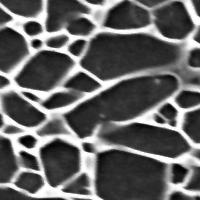
The top row consists of two unprocessed images, a 200×200 micrograph of Si3N4 (courtesy of C.-H. Hsueh) and a 640×375 print by M.C. Escher. The bottom two images are the results of applying the Normalize modifier. The dark colors are darker and the bright colors are brighter.
|
|
 |
|
| OOF.Image.Modify.Negate |  |
OOF.Image.Modify.Reilluminate |