
OOF2: The Manual
| OOF.Image.Modify.Dim | ||
|---|---|---|

|
6.2. Menus |  |
Name
OOF.Image.Modify.Dim — Dim the image by the given factor.
Synopsis
OOF.Image.Modify.Dim(image, factor)
Details
- Parent Menu: OOF.Image.Modify
-
Callback: function
doImageModin moduleooflib.image.imagemodifier -
Parameters:
image- Type: The path to an existing
Imageobject. factor- 0 fades to black, 1 does nothing. Type: A real number in the range [0, 1].
Description
Dim the given image by making each pixel blacker.
Each color component x (red, green, or blue) is
replaced by x ×
factor. If factor is 1, then
there is no change, but if factor is 0, the image
becomes completely black. Values between 0 and 1 are most useful.
Compare to OOF.Image.Modify.Fade.
Figure 6.34. Dimming an Image
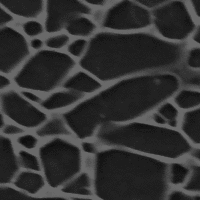
The lefthand image is a micrograph of
Si3N4
(courtesy of C.-H. Hsueh). The righthand image is the result
of dimming it with factor=0.5.
|
|
 |
|
| OOF.Image.Modify.Denoise |  |
OOF.Image.Modify.Edge |