
OOF2: The Manual
| automatic | ||
|---|---|---|

|
6.7. Other Objects |  |
Name
automatic — Set parameters automatically
Description
Many OOF2 parameters can be set automatically when you cannot
or will not do it yourself. For example, the default name of a
new Skeleton is skeleton. The default
value of the max parameter in a contour
plot is the largest data point. To use the default value
of a parameter, set it to automatic.
In scripts and text mode, automatic should
always be entered without quotation marks.
In graphics mode, GUI input widgets for parameters that can be
set to automatic display the text
<automatic> in italics when otherwise
empty. Typing anything in the input field will replace
<automatic> with whatever is typed.
Deleting everything will return the value to
<automatic>.
Figure 6.132. Automatic Widgets
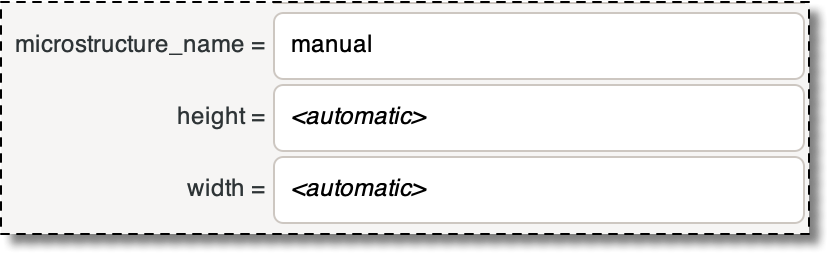
Three automatic widgets, from the OOF.Microstructure.Create_From_ImageFile
dialog box. A non-automatic value has been entered for
microstructure_name. It can be
returned to automatic by deleting the
text. width and
height are set to
automatic and can be changed to other
values by entering text.
If a name needs to be unique, automatically generated names may
have <x> appended to them, just
like other names do, as explained in Section 2.1.3.
|
|
 |
|
| placeholder |  |
ProfileFunctionX, ProfileFunctionXT |