
OOF2: The Manual
| OOF.Graphics_n.Settings.Margin | ||
|---|---|---|

|
6.2. Menus |  |
Name
OOF.Graphics_n.Settings.Margin — Set the margin (as a fraction of the image size) when zooming to full size.
Synopsis
OOF.Graphics_n.Settings.Margin(fraction)
Details
- Parent Menu: OOF.Graphics_n.Settings
-
Callback: function
GfxWindow.marginCBin moduleooflib.common.IO.GUI.gfxwindow -
Parameters:
fraction- Margin as a fraction of the image size. Type: A non-negative real number.
Description
Zooming to full
size leaves a blank margin around the display. The given
fraction specifies the width of the margin, as
a fraction of the total display size. If the canvas and its
contents do not have the same aspect ratio, the margins will be
unequal, and the setting applies to the smaller dimension.
Figure 6.14. The Display Margin
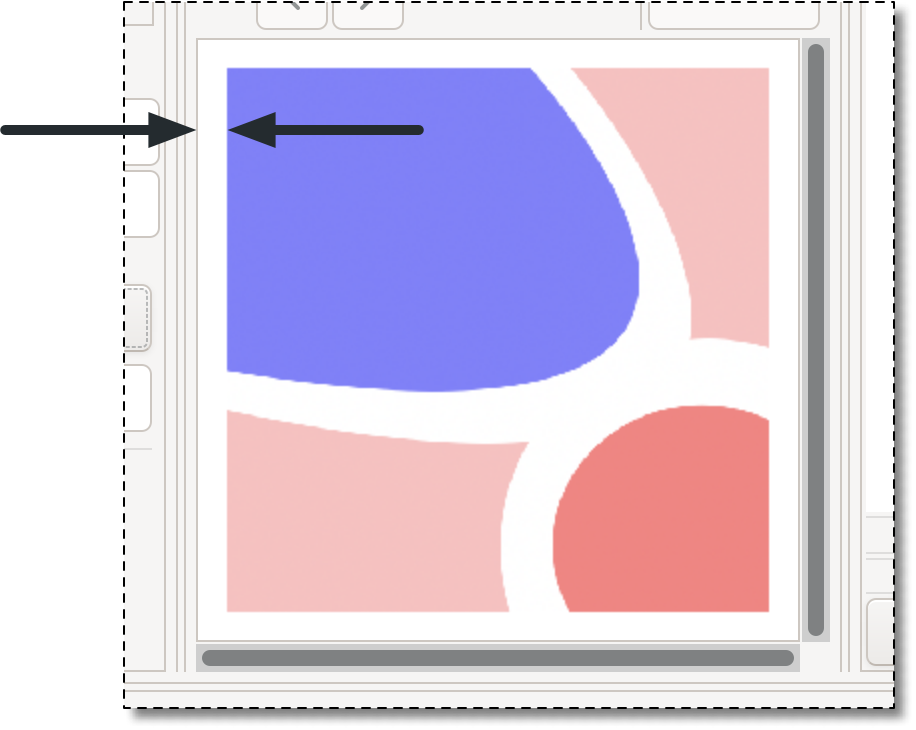
Image zoomed to full size in the canvas with the margin
set to 0.05, indicated by the arrows.
![[Note]](IMAGES/note.png) |
Note |
|---|---|
|
Changing the margin does not automatically zoom the canvas. |
|
|
 |
|
| OOF.Graphics_n.Settings.Long_Layer_Names |  |
OOF.Graphics_n.Settings.New_Layer_Policy |